DiffUtil Explained – Efficient RecyclerView Updates Without Lag (Kotlin & Java)
Learn DiffUtil in Android with step-by-step examples. Improve RecyclerView performance and avoid lag using efficient list updates.

DiffUtil Explained – Efficient RecyclerView Updates Without Lag
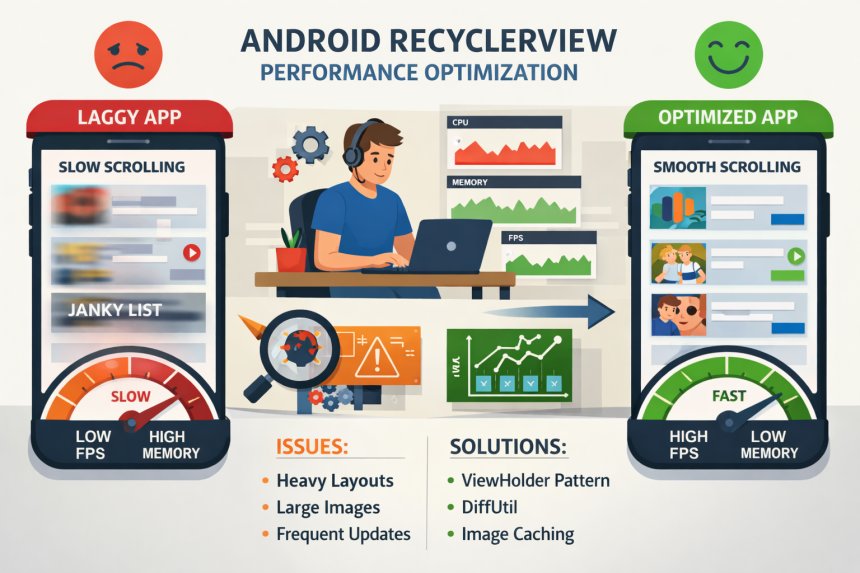
When working with RecyclerView, updating data efficiently is one of the biggest challenges developers face.
Many beginners use:
adapter.notifyDataSetChanged()This works, but it refreshes the entire list — even if only one item changes.
👉 This leads to:
- Laggy UI
- No animations
- Poor performance

This is where DiffUtil comes in.
What is DiffUtil?
DiffUtil is a utility class that calculates the difference between two lists and updates only the changed items.
Instead of refreshing the whole list, it intelligently updates:
- Inserted items
- Removed items
- Updated items
DiffUtil vs notifyDataSetChanged()
| Feature | notifyDataSetChanged() | DiffUtil |
|---|---|---|
| Performance | Low | High |
| Animations | No | Yes |
| Updates | Full list | Only changed items |
When Should You Use DiffUtil?
- Large lists (50+ items)
- Frequent updates
- Chat apps
- Feeds (Instagram, Facebook)
- POS billing systems
Step-by-Step Implementation
Step 1: Create DiffUtil Callback
class MyDiffCallback(
    private val oldList: List<String>,
    private val newList: List<String>
) : DiffUtil.Callback() {

    override fun getOldListSize() = oldList.size
    override fun getNewListSize() = newList.size

    override fun areItemsTheSame(oldItemPosition: Int, newItemPosition: Int): Boolean {
        return oldList[oldItemPosition] == newList[newItemPosition]
    }

    override fun areContentsTheSame(oldItemPosition: Int, newItemPosition: Int): Boolean {
        return oldList[oldItemPosition] == newList[newItemPosition]
    }
}
Step 2: Calculate Diff
val diffResult = DiffUtil.calculateDiff(
    MyDiffCallback(oldList, newList)
)
Step 3: Dispatch Updates
diffResult.dispatchUpdatesTo(adapter)Now only changed items will update.
Real Example – Chat App
When a new message arrives:
- Old list → 100 messages
- New list → 101 messages
DiffUtil updates only 1 item instead of refreshing entire list.
Real Example – POS Billing
When quantity changes:
- Only that item updates
- Total recalculates smoothly
This improves UX significantly.
Advanced Tip – Use ListAdapter
Instead of manual DiffUtil, use:
ListAdapterIt automatically handles DiffUtil internally.
Learn RecyclerView basics here: RecyclerView Guide
Common Mistakes
- Using notifyDataSetChanged always
- Incorrect comparison logic
- Not updating list properly
FAQ
1. What is DiffUtil in Android?
A utility to calculate differences between lists and update efficiently.
2. Is DiffUtil better than notifyDataSetChanged?
Yes, it improves performance and animations.
3. Does DiffUtil improve performance?
Yes, especially for large lists.
4. Can I use DiffUtil with Kotlin?
Yes, it works perfectly with Kotlin and Java.
5. What is ListAdapter?
A RecyclerView adapter that uses DiffUtil internally.
Related Articles
Conclusion
DiffUtil is one of the most powerful tools for optimizing RecyclerView performance. It ensures efficient updates, smooth animations, and better user experience.
If you are building production-level apps, using DiffUtil is not optional — it is essential.
Share
What's Your Reaction?
 Like
0
Like
0
 Dislike
0
Dislike
0
 Love
0
Love
0
 Funny
0
Funny
0
 Angry
0
Angry
0
 Sad
0
Sad
0
 Wow
0
Wow
0