Activity vs Fragment – When to Use Each in Real Android Projects (Kotlin & Java)
Confused between Activity and Fragment? Learn the real difference, practical usage, and best practices for modern Android apps using Kotlin and Java.

Introduction
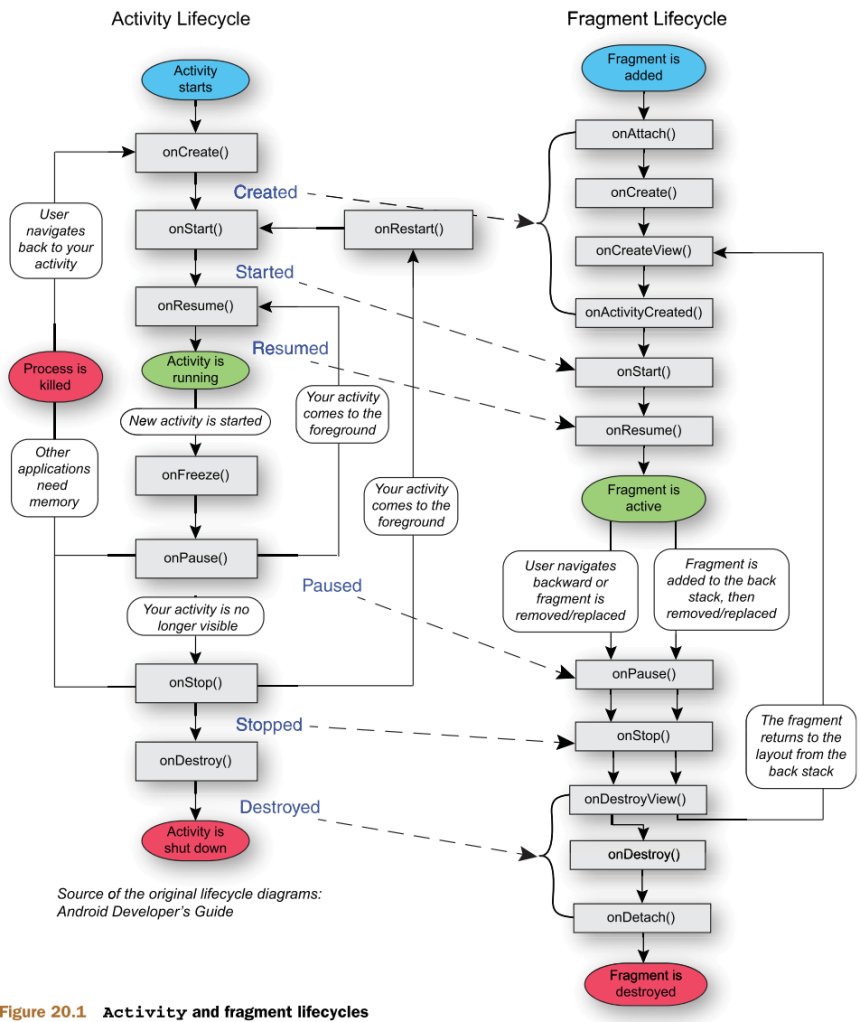
After learning Activity lifecycle and Fragment lifecycle, the biggest confusion most developers face is:
When should I use Activity?
When should I use Fragment?
Many beginners create a new Activity for every screen.
Many advanced developers prefer a single Activity with multiple Fragments.
Which one is correct?
The answer depends on architecture and project requirements.
Let’s break it down clearly with real-world examples.
What is an Activity?
Activity represents a full screen in Android.
Examples:
-
Login screen
-
Dashboard screen
-
Settings screen
An Activity can run independently.
It is registered inside:
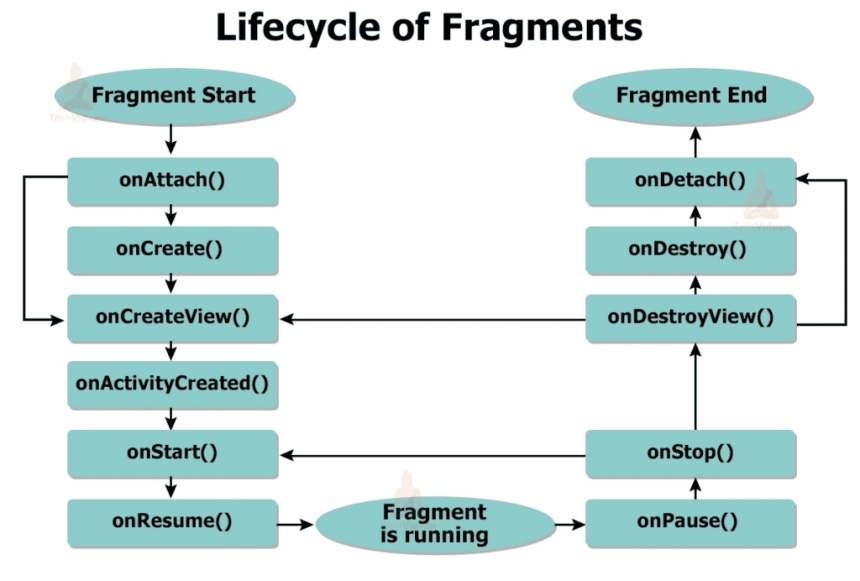
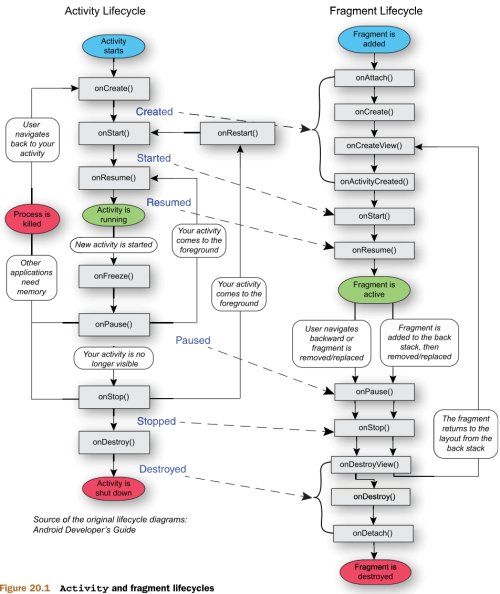
Each Activity has its own lifecycle.
What is a Fragment?
Fragment is a reusable part of a screen.
It cannot exist alone. It must be hosted inside an Activity.
Examples:
-
Tabs inside dashboard
-
Sections inside profile screen
-
Product list inside POS dashboard
Fragment is modular and reusable.
Basic Difference (Simple Table)
| Feature | Activity | Fragment |
|---|---|---|
| Represents | Full screen | Part of screen |
| Independent | Yes | No |
| Reusable | No | Yes |
| Registered in Manifest | Yes | No |
| Can host fragments | Yes | No |
Traditional Approach (Old Style Android)
Earlier Android apps used:
DashboardActivity
ProfileActivity
SettingsActivity
Every screen → Separate Activity.
Navigation:
This approach works, but for large apps it becomes hard to manage.
Modern Approach (Recommended)
Modern Android apps mostly use:
├── LoginFragment
├── DashboardFragment
├── ProfileFragment
├── SettingsFragment
Single Activity
Multiple Fragments
Navigation happens using Fragment transactions.
Example:
.replace(R.id.container, DashboardFragment())
.commit()
This approach is more scalable.
Real Example – WhatsApp Architecture
WhatsApp uses:
One main Activity
Fragments:
-
Chat list
-
Status
-
Calls
Switching tabs does not create new Activity.
Only Fragment changes.
This improves:
-
Performance
-
Memory usage
-
Smooth navigation
When Should You Use Activity?
Use Activity when:
-
Screen is completely independent
-
You need separate task or flow
-
App starts from that screen
-
You need system-level integration
Example:
-
LoginActivity
-
SplashActivity
-
PaymentActivity
These are good candidates for Activity.
When Should You Use Fragment?
Use Fragment when:
-
You need reusable UI
-
You use bottom navigation
-
You use tab layout
-
You want modular architecture
-
You follow MVVM or Clean Architecture
Example:
-
Dashboard sections
-
Product list
-
Chat screen
-
Settings panel
Most modern apps use Fragments heavily.
Real Production Example – POS App
Imagine POS app structure.
Old Approach
BillingActivity
ReportsActivity
StockActivity
Every navigation creates new Activity.
This increases:
-
Memory usage
-
Lifecycle complexity
-
Hard back-stack handling
Modern Approach
├── BillingFragment
├── ReportsFragment
├── StockFragment
Single Activity handles:
-
Navigation
-
Toolbar
-
Drawer
-
Bottom navigation
Fragments handle:
-
UI logic
-
Data presentation
This is cleaner.
Performance Consideration
Activity:
-
Heavier
-
Separate lifecycle
-
Higher memory usage
Fragment:
-
Lightweight
-
Faster switching
-
Better for dynamic UI
For large apps, Fragment-based architecture is more efficient.
Navigation Architecture Component (Modern Standard)
Google now recommends:
Single Activity
Multiple Fragments
Navigation Component
This makes:
-
Back stack handling easy
-
Argument passing safe
-
Deep linking simple
Modern professional apps follow this approach.
Common Beginner Mistakes
❌ Creating too many Activities
❌ Mixing UI logic inside Activity
❌ Not using Fragment for modular UI
Correct practice:
Activity = Container
Fragment = UI + Logic
Interview-Level Answer
If interviewer asks:
“What is difference between Activity and Fragment?”
Professional answer:
Activity represents a complete screen and is an entry point of user interaction. Fragment represents a modular, reusable UI component that lives inside an Activity and allows dynamic UI design.
Recommended Architecture for New Projects
For modern Android apps:
-
1 MainActivity
-
Multiple Fragments
-
MVVM architecture
-
Navigation component
This is industry standard.
Quick Decision Guide
Use Activity if:
-
It is entry point
-
It must exist independently
Use Fragment if:
-
It is part of UI
-
It needs to be reusable
-
It is part of navigation structure
Conclusion
Activity and Fragment are not competitors.
They are partners.
Activity is the container.
Fragment is the content.
Understanding when to use each one makes your app:
-
Scalable
-
Maintainable
-
Professional
Modern Android development prefers:
Single Activity + Multiple Fragments.
If you master this pattern early, you will build better apps from the beginning.
Share
What's Your Reaction?
 Like
0
Like
0
 Dislike
0
Dislike
0
 Love
0
Love
0
 Funny
0
Funny
0
 Angry
0
Angry
0
 Sad
0
Sad
0
 Wow
0
Wow
0