RecyclerView Optimization Techniques – Fix Lag & Boost Android App Performance (Kotlin & Java)
Improve RecyclerView performance with expert optimization techniques. Learn how to fix lag, boost speed, and build smooth Android apps.

Introduction
RecyclerView is one of the most powerful UI components in Android. It is used everywhere — from chat apps and e-commerce platforms to POS billing systems.
But here’s the problem:
👉 A poorly implemented RecyclerView can make your app feel slow, laggy, and unprofessional.
Users today expect smooth scrolling and instant UI response. Even a slight lag can lead to poor user experience and app uninstalls.
In this guide, you will learn how to optimize RecyclerView like a professional Android developer — from basic improvements to advanced production-level techniques.
Why RecyclerView Becomes Slow
Before optimizing, you need to understand the root causes.
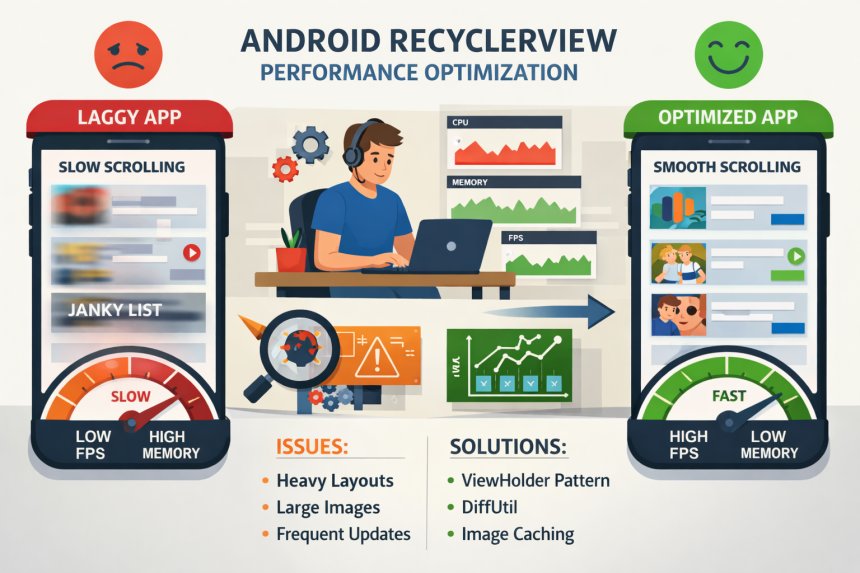
Common performance issues:
- Heavy and deeply nested layouts
- Loading large images without optimization
- Frequent full list refresh (
notifyDataSetChanged) - Doing heavy work inside
onBindViewHolder() - Not using ViewHolder efficiently
These issues directly impact:
- Frame rate (FPS)
- Memory usage
- UI responsiveness
1. Use ViewHolder Pattern Properly
RecyclerView already enforces ViewHolder, but misuse still happens.
Wrong Approach
Calling findViewById repeatedly during binding.
Correct Approach
val title = view.findViewById<TextView>(R.id.title)
}
👉 This avoids repeated view lookup and improves scrolling performance.
2. Avoid notifyDataSetChanged()
This is one of the biggest mistakes.
Problem:
This refreshes the entire list even if only one item changed.
Solution:
Use targeted updates:
notifyItemRemoved(position)
notifyItemChanged(position)
👉 This improves performance and enables animations.
3. Use DiffUtil (Advanced Optimization)
For production apps, DiffUtil is mandatory.
Why?
It calculates differences between old and new list efficiently.
Benefits:
- Minimal UI updates
- Smooth animations
- Better performance
Example concept:
Used in:
- Chat apps
- Feeds
- POS billing systems
4. Optimize Layout Design
UI layout plays a huge role in performance.
Bad Layout:
- Multiple nested LinearLayouts
- Unnecessary wrappers
Good Layout:
- Use ConstraintLayout
- Flat hierarchy
👉 Less nesting = faster rendering
5. Avoid Heavy Work in onBindViewHolder()
This method is called frequently during scrolling.
Never do:
- API calls
- Database queries
- Heavy calculations
Best Practice:
Prepare data beforehand.
6. Use Efficient Image Loading (Very Important)
Images are the biggest performance bottleneck.
Use libraries like:
- Glide
- Picasso
Example:
.load(imageUrl)
.into(imageView)
👉 These handle caching, resizing, and memory optimization.
7. Enable setHasFixedSize(true)
If list size doesn’t change dynamically:
👉 This reduces layout recalculations.
8. Reduce Overdraw and Layout Complexity
Overdraw = drawing UI multiple times.
Fix:
- Remove unnecessary backgrounds
- Avoid overlapping layouts
Use Android Studio GPU rendering tools to detect this.
9. Use Pagination for Large Data
Loading 1000+ items at once is bad practice.
Use:
- Pagination
- Lazy loading
Example:
Load 20 items → Load next 20 on scroll
👉 Used in Instagram, YouTube, etc.
10. RecycledViewPool for Multiple RecyclerViews
If using nested RecyclerViews:
👉 Reuses views across lists.
11. Disable Unnecessary Animations
Animations can cause lag in large lists.
.supportsChangeAnimations = false
Real-World Example – POS App Optimization
Scenario:
- 200+ billing items
- Real-time updates
- Frequent edits
Optimizations used:
- DiffUtil
- Lightweight layouts
- No heavy logic in binding
- Efficient image loading
👉 Result: Smooth billing experience
Real-World Example – Chat App
Scenario:
- Thousands of messages
- Mixed view types
- Image + text
Optimizations:
- Pagination
- ViewHolder reuse
- Glide for images
- DiffUtil updates
👉 Result: Lag-free scrolling
Common Mistakes to Avoid
- Using notifyDataSetChanged always
- Overloading UI layouts
- Not using DiffUtil
- Doing work in onBindViewHolder
- Ignoring image optimization
Conclusion
RecyclerView optimization is not optional — it is essential.
A well-optimized RecyclerView:
- Improves user experience
- Reduces crashes
- Makes your app feel premium
Mastering these techniques will help you build production-level Android apps that perform smoothly even under heavy data loads.
Share
What's Your Reaction?
 Like
0
Like
0
 Dislike
0
Dislike
0
 Love
0
Love
0
 Funny
0
Funny
0
 Angry
0
Angry
0
 Sad
0
Sad
0
 Wow
0
Wow
0