Building an AI Chatbot with Long-Term Memory: Production-Ready Architecture Guide (2026)
Learn how to build an AI chatbot with long-term memory using OpenAI APIs, database storage, vector search, and scalable backend architecture. A complete production guide for developers.

Introduction: Why Most Chatbots Feel Dumb
You’ve seen this before.
User talks to chatbot.
Closes app.
Returns next day.
Chatbot acts like it never met them.
That’s because most developers build stateless bots.
Modern AI models from OpenAI (like the ones behind ChatGPT) support contextual conversations — but you must design the memory system.
Memory is not automatic.
It’s architecture.
Short-Term vs Long-Term Memory (Clear Difference)
Short-Term Memory
• Current conversation
• Last 5–10 messages
• Stored temporarily
Useful for flow.
Long-Term Memory
• User preferences
• Past conversations
• Behavioral data
• Business history
Stored in database permanently.
This is what makes chatbot feel intelligent.
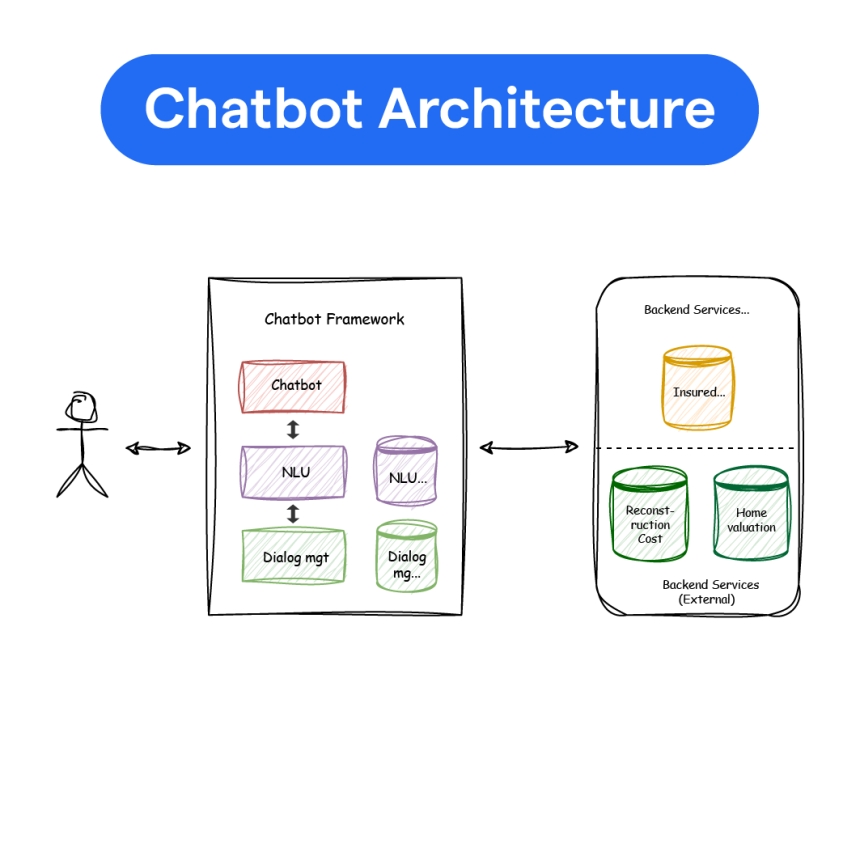
High-Level Architecture
User
↓
Flutter / Web App
↓
Backend (Node.js / Laravel)
↓
Memory Layer (DB + Vector Store)
↓
AI API (OpenAI)
↓
Response
Memory is injected before calling AI.
Step 1: Store Conversations Properly
Basic schema:
conversations table
| id | user_id | created_at |
messages table
| id | conversation_id | role | content | created_at |
When user sends message:
-
Store message
-
Fetch last N messages
-
Send to AI
-
Store AI reply
Step 2: Inject Memory into Prompt
Example prompt structure:
You are a helpful assistant.
LONG-TERM MEMORY:
User prefers Hindi language.
User owns a pizza restaurant.
RECENT CONVERSATION:
User: How can I increase sales?
Assistant: ...
USER:
Suggest marketing ideas for my shop.
Now response becomes personalized.
Step 3: Implement Long-Term Memory Storage
Example (Node.js):
{ userId },
{ $set: { preferred_language: "Hindi", business_type: "restaurant" } },
{ upsert: true }
);
Before each AI call:
Inject into system prompt.
Simple but powerful.
Step 4: Use Vector Database for Smart Memory Retrieval
For large conversations, you cannot send entire history.
Solution: Semantic search.
Store embeddings using OpenAI embeddings API.
Each message → Convert to embedding → Store in vector DB.
When user asks question:
-
Convert new question into embedding
-
Find similar past messages
-
Inject only relevant memory
Popular vector databases:
• Pinecone
• Weaviate
• PostgreSQL with pgvector
This makes memory scalable.
Example: Embedding Storage
method: "POST",
headers: {
"Authorization": `Bearer ${process.env.OPENAI_KEY}`,
"Content-Type": "application/json"
},
body: JSON.stringify({
model: "text-embedding-3-small",
input: userMessage
})
});
Store vector in DB.
Now your chatbot can “remember intelligently.”
Step 5: Memory Strategy Design
Not all memory should be permanent.
Design memory types:
1. Profile Memory
• Name
• Business type
• Language
Permanent.
2. Preference Memory
• Tone preference
• Report format
Semi-permanent.
3. Behavioral Memory
• Frequently asked topics
• Purchase behavior
Used for analytics.
Example: Business AI Chatbot Use Case
Imagine you build AI SaaS for shop owners.
User says:
“Create discount campaign for my Diwali sale.”
Chatbot remembers:
• Store type
• Target audience
• Previous campaign results
Now response is highly relevant.
Without memory, it would be generic.
Handling Context Window Limits
AI models have token limits.
You cannot send unlimited memory.
Best practices:
• Send last 5–10 messages only
• Use summary of older chats
• Use vector search for relevant recall
• Compress history periodically
Conversation Summarization Technique
After every 20 messages:
Generate summary:
Store summary.
Use summary instead of full history.
Saves cost and tokens.
Security Considerations
Memory contains user data.
Important rules:
✔ Encrypt sensitive data
✔ Never store passwords in memory
✔ Validate memory injection
✔ Respect user privacy policies
AI memory must follow compliance rules.
Cost Optimization
Memory systems increase API usage.
Optimize by:
• Caching responses
• Limiting embedding generation
• Using smaller embedding models
• Avoid embedding trivial messages
Always track per-user usage.
SaaS Ideas Using Long-Term Memory
-
AI Personal Business Advisor
-
AI Study Mentor (Tracks student progress)
-
AI Fitness Coach (Tracks workout history)
-
AI CRM Assistant
-
AI Therapy Companion (With strict safety controls)
Memory creates stickiness.
Users return because AI remembers them.
Why Long-Term Memory Increases Retention
Apps without memory feel transactional.
Apps with memory feel relational.
Relational AI → Higher engagement
Higher engagement → Higher subscription
Higher subscription → Sustainable SaaS
This is not just technical architecture.
It’s product strategy.
Conclusion
Building AI chatbot with long-term memory requires:
• Database design
• Memory injection logic
• Context management
• Token optimization
• Security controls
But once implemented, your chatbot transforms from:
“Answer generator”
to
“Intelligent assistant.”
That’s the difference between demo AI and production AI.
Share
What's Your Reaction?
 Like
0
Like
0
 Dislike
0
Dislike
0
 Love
0
Love
0
 Funny
0
Funny
0
 Angry
0
Angry
0
 Sad
0
Sad
0
 Wow
0
Wow
0